Reference · ARKit · face tracking
The 52 ARKit blendshapes, on a real head.
ARKit describes a face with 52 blendshapes: weights from 0 to 1 for movements such as jawOpen or eyeBlinkLeft. An iPhone's face tracking sends these weights, and Live Link Face, VTubing apps and game engines play them back on any head that has the same 52 shapes. Here is every name, what it moves, and a head that has all of them.
Free Sign up free and download 20 high-quality MetaHuman sample heads: 4K skin, 52 ARKit shapes, GLB/FBX/MetaHuman ZIP.
All 52, by part of the face
The names are exactly as Apple writes them. Left and Right are the face's own left and right, not the viewer's.
Eyes14 shapes
eyeBlinkLeftCloses the eyelid.
eyeBlinkRighteyeLookDownLeftThe eyelids follow a downward gaze.
eyeLookDownRighteyeLookInLeftThe eyelids follow a gaze towards the nose.
eyeLookInRighteyeLookOutLeftThe eyelids follow a gaze away from the nose.
eyeLookOutRighteyeLookUpLeftThe eyelids follow an upward gaze.
eyeLookUpRighteyeSquintLeftNarrows the eye: the lower lid and the cheek rise.
eyeSquintRighteyeWideLeftOpens the eye wide: the upper lid rises.
eyeWideRight
Jaw4 shapes
jawForwardPushes the jaw forward.jawLeftMoves the jaw to the face's left.jawRightMoves the jaw to the face's right.jawOpenOpens the jaw.
Mouth23 shapes
mouthCloseCloses the lips while the jaw stays open; used together withjawOpen.mouthFunnelRounds the open lips into a funnel, as in "oo".mouthPuckerPushes the closed lips forward, as in a kiss.mouthLeftMoves both lips to the face's left.mouthRightMoves both lips to the face's right.mouthSmileLeftRaises the corner of the mouth.
mouthSmileRightmouthFrownLeftLowers the corner of the mouth.
mouthFrownRightmouthDimpleLeftPulls the corner of the mouth back, towards the dimple.
mouthDimpleRightmouthStretchLeftStretches the corner of the mouth sideways and down.
mouthStretchRightmouthRollLowerRolls the lower lip in, over the teeth.mouthRollUpperRolls the upper lip in, over the teeth.mouthShrugLowerPushes the lower lip up and out.mouthShrugUpperPushes the upper lip up and out.mouthPressLeftPresses the lower lip up against the upper lip on that side.
mouthPressRightmouthLowerDownLeftPulls the lower lip down on that side.
mouthLowerDownRightmouthUpperUpLeftRaises the upper lip on that side.
mouthUpperUpRight
Brows5 shapes
browDownLeftLowers the outer part of the brow.
browDownRightbrowInnerUpRaises the inner ends of both brows.browOuterUpLeftRaises the outer part of the brow.
browOuterUpRight
Cheeks3 shapes
cheekPuffPuffs both cheeks out.cheekSquintLeftRaises the cheek around the lower eyelid.
cheekSquintRight
Nose2 shapes
noseSneerLeftRaises the side of the nose, as in a sneer.
noseSneerRight
Tongue1 shapes
tongueOutPushes the tongue out of the mouth.
Source of the names: Apple's ARKit documentation.
Move the shapes on a real head
These are the sample heads, as FaceNinja made them from one photo each. Load one and drag the sliders: each slider is one ARKit shape on that face, and the expressions mix several.
Sample heads
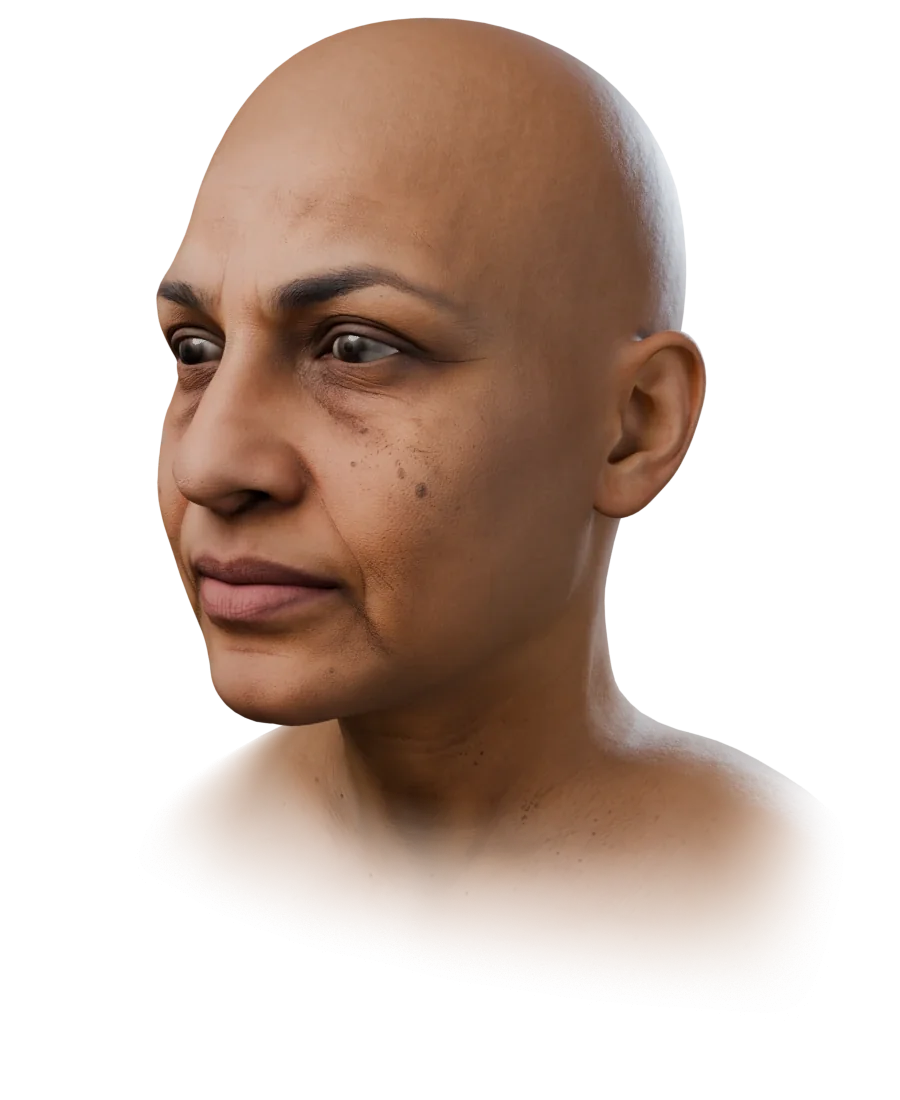
Arrow keys turn the head. Plus and minus zoom. Zero resets the view. Escape leaves the viewer.
ARKit readout
The values follow the expression. Drag a slider to set one shape.
Six expressions, and the shapes that make them
An expression is a mix of shapes. Each still below is sample S-16 with the shapes under it turned up; the neutral face has none.
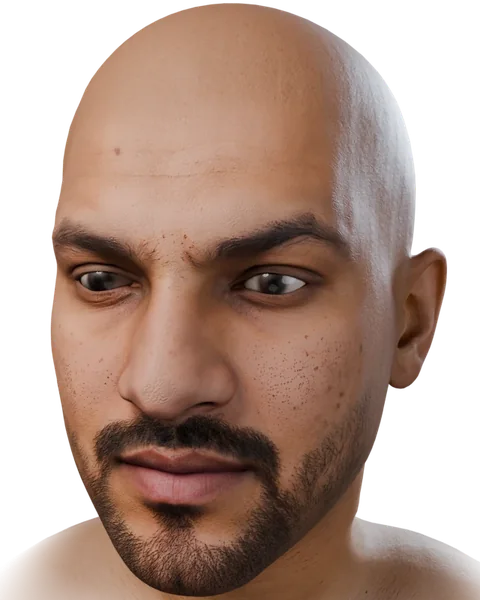 Neutral
—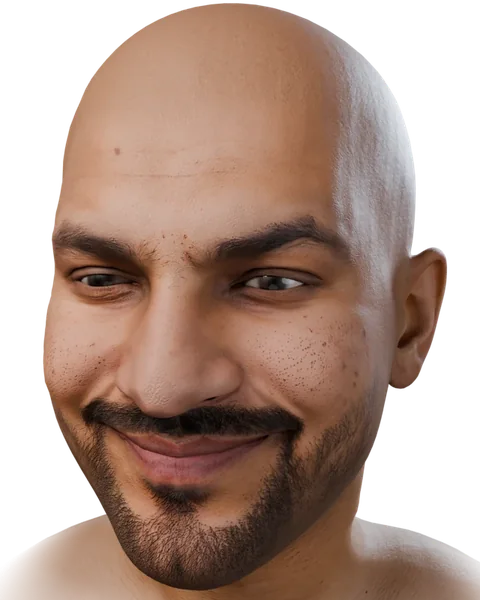 Smile
SmilemouthSmileLeft mouthSmileRight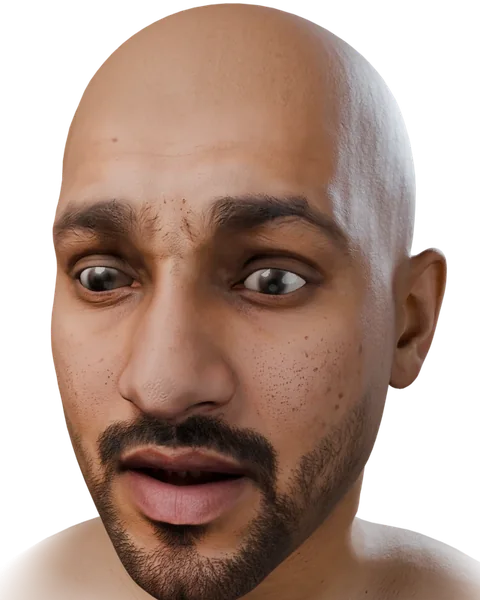 Surprise
jawOpen browInnerUp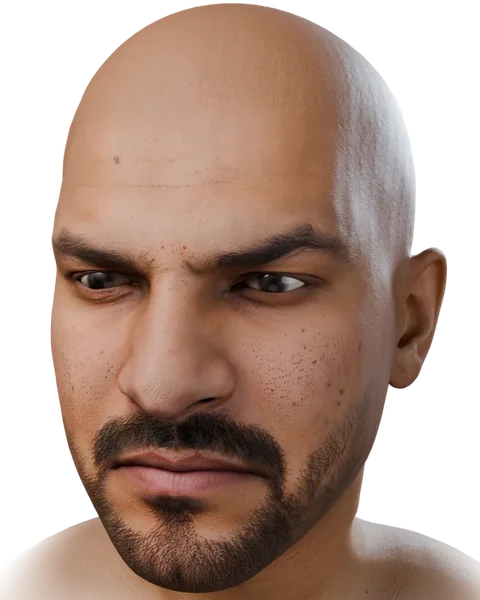 Frown
FrownbrowDownLeft mouthFrownLeft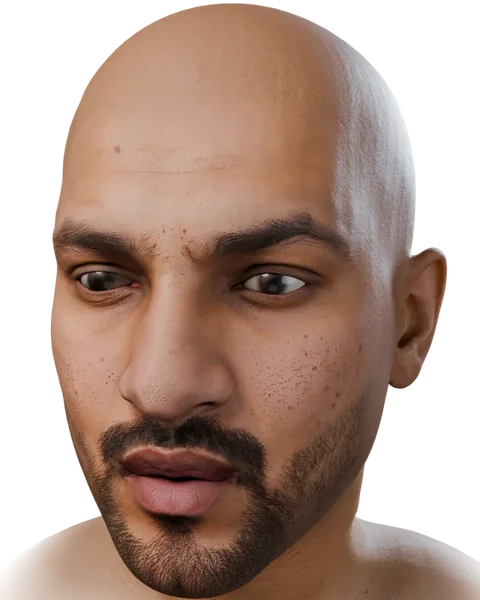
mouthPucker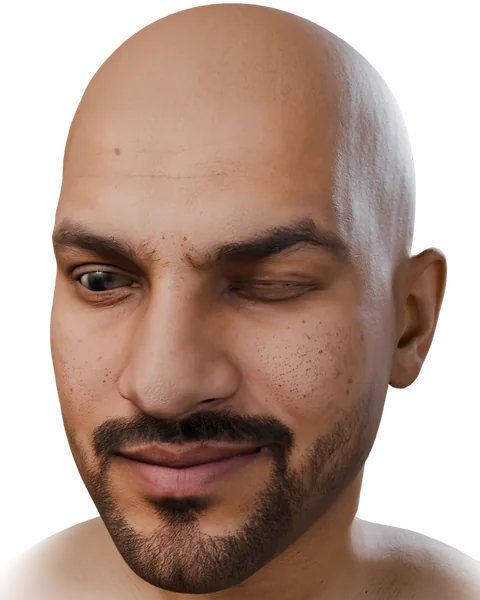
eyeBlinkLeft
Why tongueOut needs a tongue
tongueOut only shows on a head with a tongue and a mouth that opens far enough. FaceNinja heads have both, so the GLB and the FBX carry all 52 shapes, tongueOut included.
Perfect Sync: the 52 shapes in VTubing
In VTubing, an avatar with all 52 ARKit shapes is called Perfect Sync (パーフェクトシンク): tracking from an iPhone drives each shape directly instead of a few presets. Apps built on VRM need a VRM file, which FaceNinja does not make. Our free Creator Kit takes the other route: your head becomes a MetaHuman in Unreal Engine, driven by Live Link Face or a webcam.
Where the 52 shapes live in each engine
| Engine | Where the shapes are | Note |
|---|---|---|
| Unreal Engine | Morph targets on the Skeletal Mesh; Live Link Face drives them by name. | Import with morph targets on, and tick Used with Morph Targets on the head's materials (docs). |
| Unity | Blend shapes on the Skinned Mesh Renderer, from the FBX. | Import BlendShapes is on by default in the model's import settings. |
| Godot 4 | Blend shapes on the MeshInstance3D, from the GLB. | find_blend_shape_by_name() gives the index for set_blend_shape_value(). |
| three.js | mesh.morphTargetDictionary maps each name to its index in mesh.morphTargetInfluences. | Load the GLB with GLTFLoader. |
Questions about ARKit blendshapes
- 01What are ARKit blendshapes?
- The 52 named face movements Apple defined for face tracking on iPhone and iPad. Each is a weight from 0 to 1, and any expression is a mix of them.
- 02How many ARKit blendshapes are there?
- 52: 14 for the eyes, 4 for the jaw, 23 for the mouth, 5 for the brows, 3 for the cheeks, 2 for the nose and 1 for the tongue.
- 03Do I need an iPhone?
- To capture all 52 live, you need a device with Apple's face tracking, such as an iPhone with Face ID; Live Link Face uses it. To play them back, any engine that reads blendshapes works, with no iPhone.
- 04Do FaceNinja heads include
tongueOut? - Yes. The GLB and the FBX carry all 52 shapes,
tongueOutincluded, made for each face. - 05What is Perfect Sync?
- A VTubing term for an avatar that has all 52 ARKit shapes, so face tracking drives each one directly.
- 06Can I try a head with all 52 shapes?
- Yes. Sign up free and download the 20 sample heads: every GLB and FBX has all 52.
Can I try a head with all 52 shapes?
Yes. Sign up free and download the 20 sample heads: every GLB and FBX has all 52.