Guide · VTubing · free Creator Kit
How to become a VTuber with your own face.
Most VTubers use an anime-style or drawn character. You can also stream as a realistic 3D version of yourself, which moves when you move and talks when you type. This guide covers the choice, the gear, and the steps from one photo to a live stream with the free FaceNinja Creator Kit.
Published
First, choose a style
| Style | How it is made | What it runs in |
|---|---|---|
| 2D (Live2D) | A layered drawing, rigged by an artist | VTubing apps that read Live2D models |
| 3D anime (VRM) | Designed in a free character editor, or commissioned from an artist | VTubing apps that read VRM |
| Realistic 3D (MetaHuman) | Your head from a photo, made into a MetaHuman | Unreal Engine, captured by OBS |
This guide is about the third. A realistic avatar of your face is not anonymous: choose a drawn or original character if you want to stay unrecognised.
What you need
- A computer that runs Unreal Engine 5.8. Windows 11 with an NVIDIA RTX 3070 or better, or a Mac with M2 Max or newer and 32 GB of memory, is comfortable; less works at a lower frame rate.
- A way to track your face. An iPhone 12 or newer with the free Live Link Face app, or a webcam.
- A coding agent that can use MCP. It sets up Unreal for you from seven prompts, so you write no code.
- OBS and a virtual audio cable. Both free; the first prompt checks and installs them with you.
From one photo to a live stream
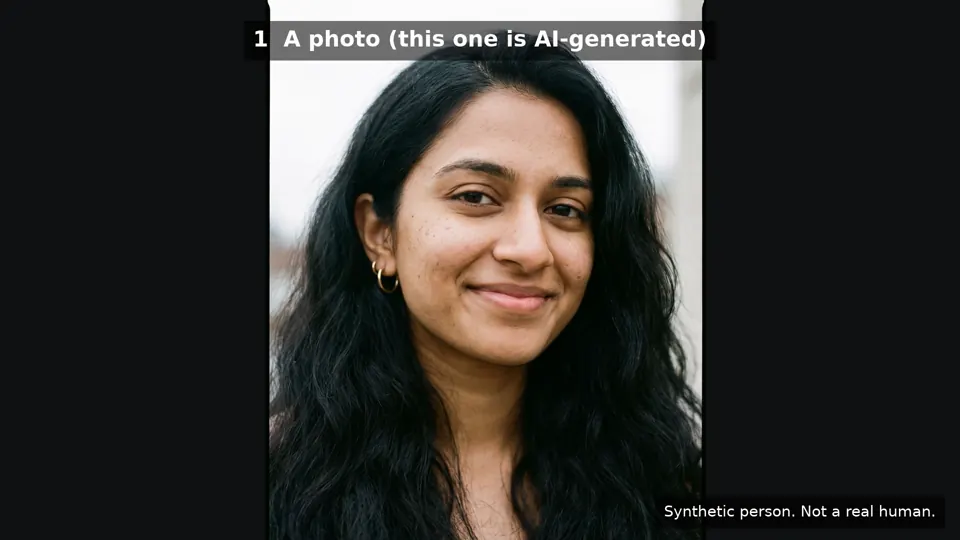 One AI-generated photo of a synthetic person.
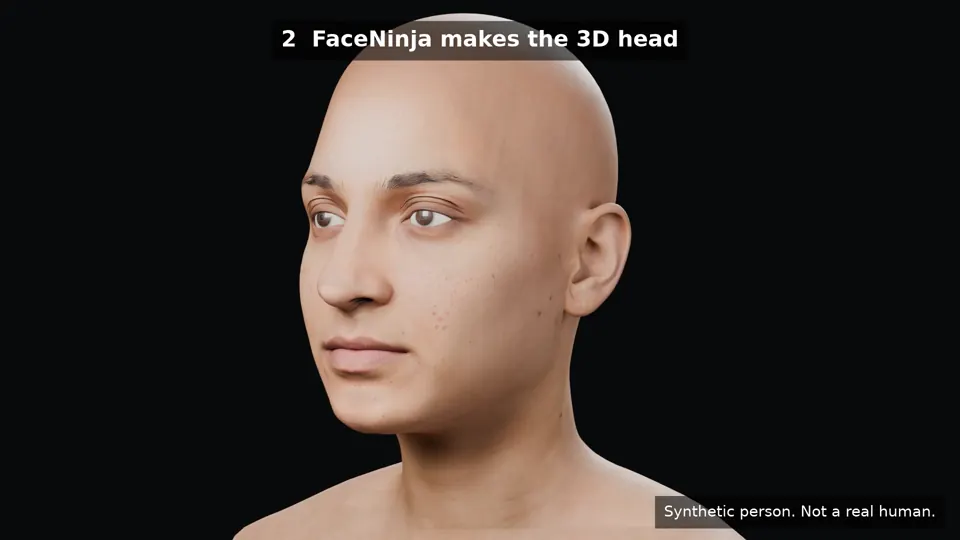 The FaceNinja head made from it.
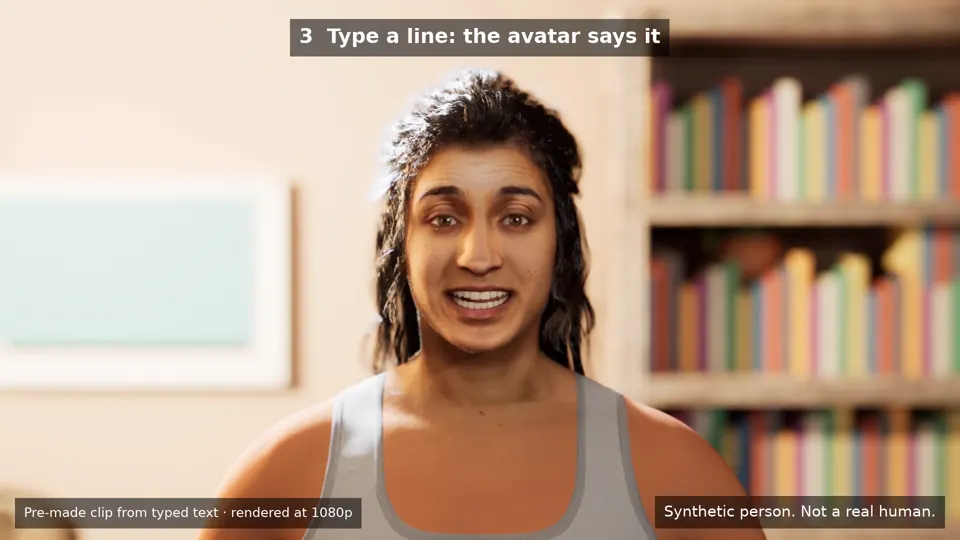 That head as a talking MetaHuman in the Creator Kit's room in Unreal 5.8.
Make your head
Take a sharp, front-facing photo of yourself and make your head in FaceNinja. Download its MetaHuman ZIP. Use only your own face, or that of an adult who agreed in writing.
Download the Creator Kit
The kit is free under the MIT licence. Unzip it and open your coding agent in that folder.
Paste the seven prompts
One at a time, and wait for each to finish. They install what you need, connect your agent to Unreal, build a small streaming room, bring in your head as a MetaHuman, connect your iPhone or webcam, set up type-to-talk and point OBS at the window. Each ends with something you can check.
Track your face
With Live Link Face on an iPhone, or a webcam, your avatar copies your expressions in real time.
Talk
Type a line and the avatar says it, with lip sync: the free Kokoro voice runs on your computer, Chatterbox can use your own voice from a short recording, and ElevenLabs works with your own account. Or speak into your microphone as usual.
Go live in OBS
Capture the 1920×1080 window in OBS, with a green screen when you want your own background, and stream to YouTube or Twitch as you normally would.
What it costs
The kit, Unreal Engine, MetaHuman Creator, Live Link Face, OBS and the local voices are free. You pay for your FaceNinja head in credits, and only if you choose them, for cloud voices or a paid lip-sync plug-in.
Questions about VTubing with your own face
- 01How much does it cost to become a VTuber?
- With this route, the software is free; your head will be 1,500 credits when paid plans open, and you need a capable computer. Until then, try the steps with a free sample head.
- 02Do I need an iPhone?
- No. A webcam works; an iPhone with Live Link Face tracks more of the face.
- 03Can I use someone else's face?
- No. Use your own face and voice, an original character, or a person who agreed in writing. Impersonation can break the law and YouTube's, Twitch's and Epic's rules.
- 04Does it work on a Mac?
- Yes, on a Mac with M1 or newer and Unreal Engine 5.8.
Your face as a realistic VTuber avatar.
No code to write. Each prompt ends with something you can check.