How it works · one run
From your photo to a finished head.
About 4 minutes, no hand retouching, nobody in the loop. It is the same whether the photos arrive through the API, an AI agent or the web app. Here is what we check, what you get back, and what a head leaves out on purpose.
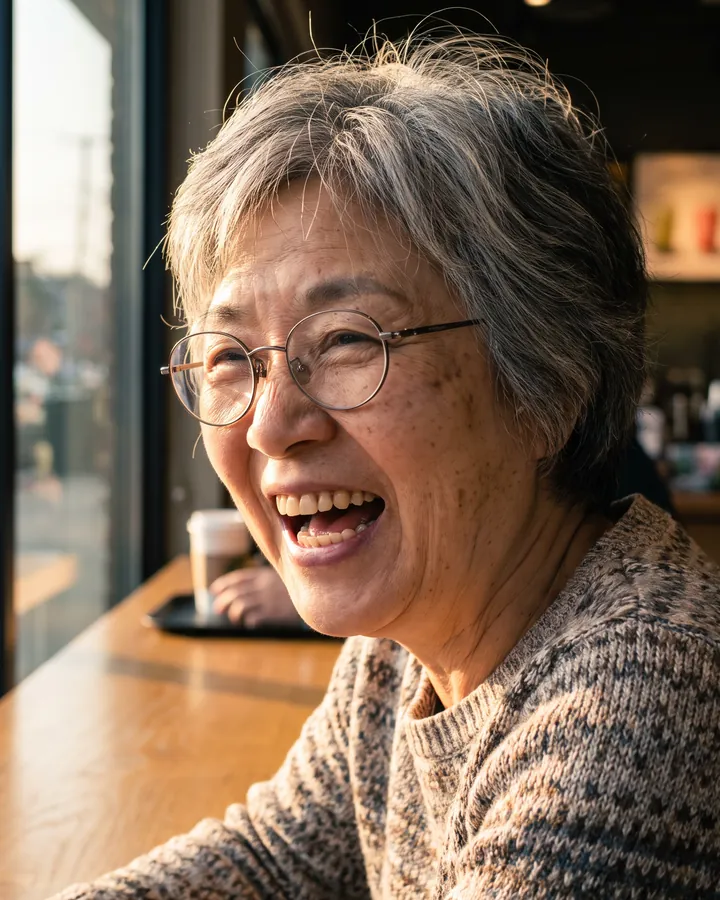
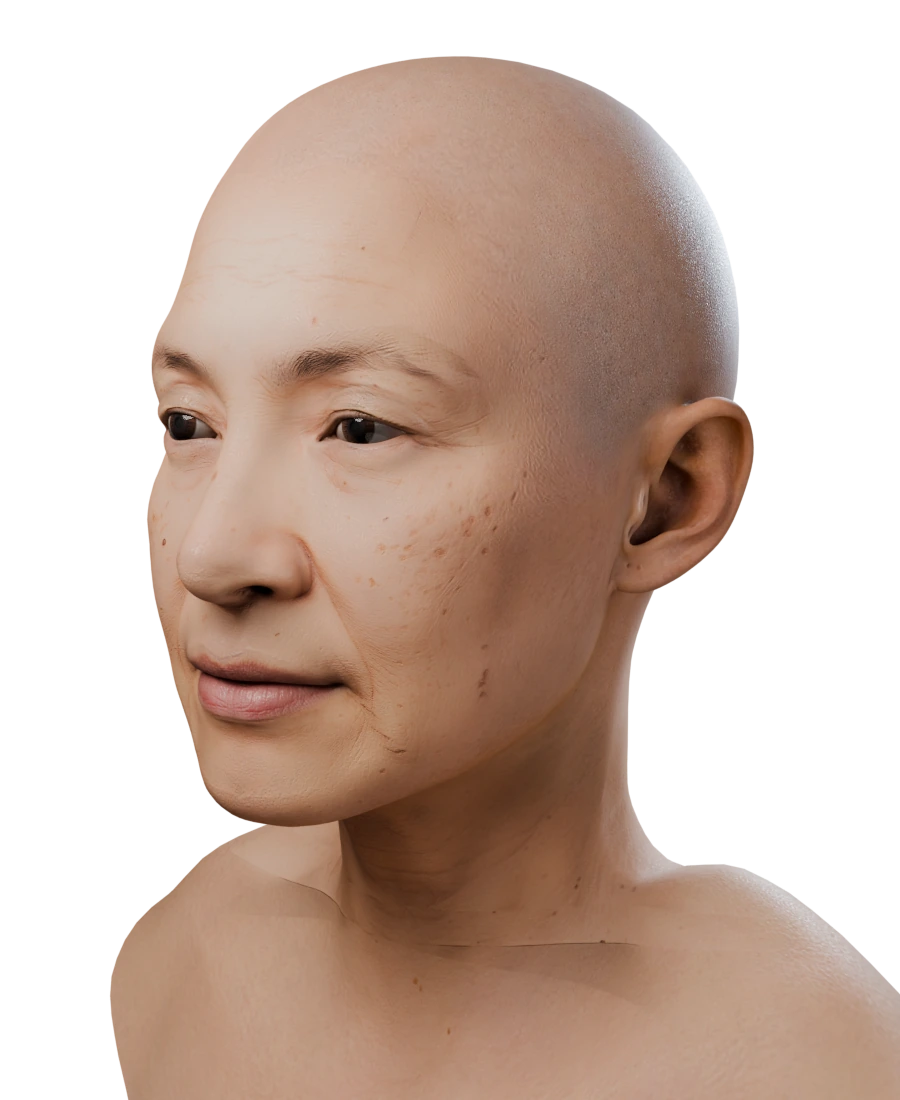
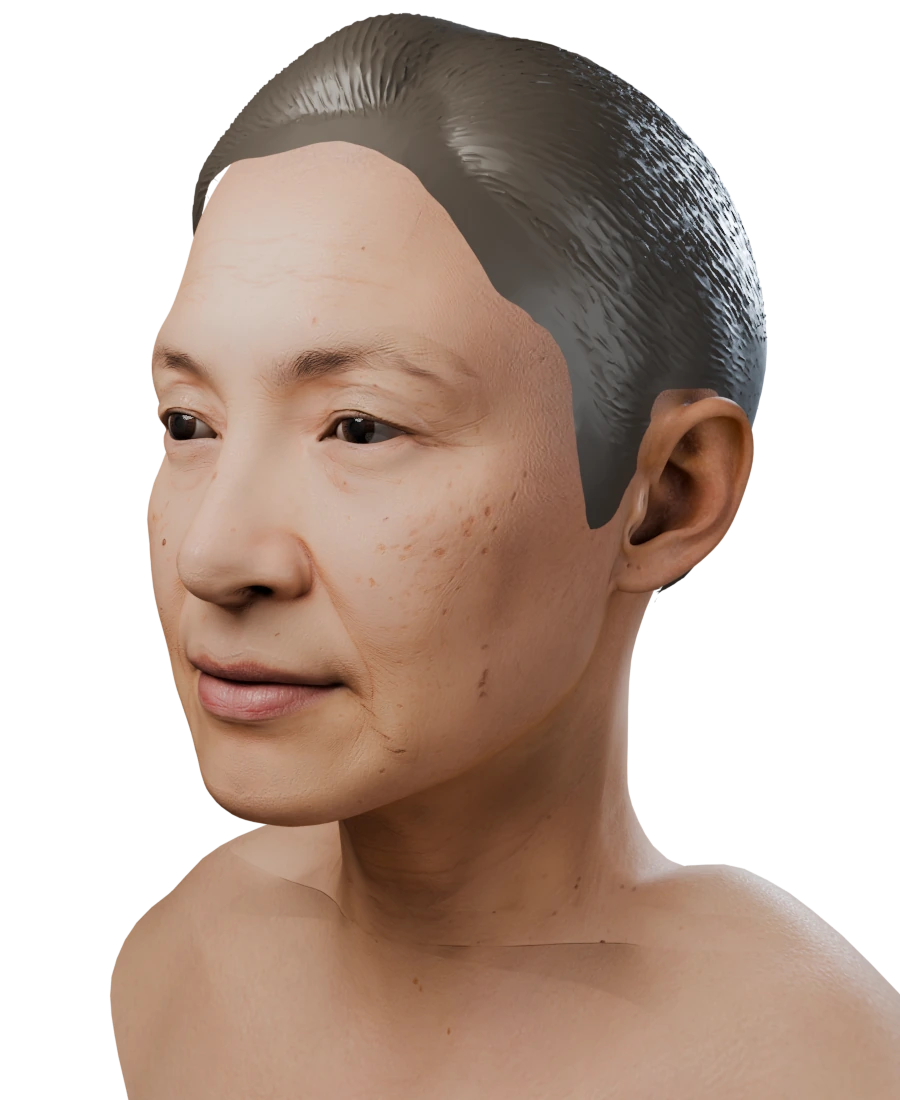
First, we look at every photo.
Before anything is built, each photo is checked. Is there a face, is it sharp and large enough, is it one person, is it the same person as the other photos, and is it a real-colour photo rather than black and white? A photo that fails is left out of the run. If no usable photo remains, the head fails, its credits return to your balance, and through the API its error.code says why (for example no_face).
The person's face, in MetaHuman topology.
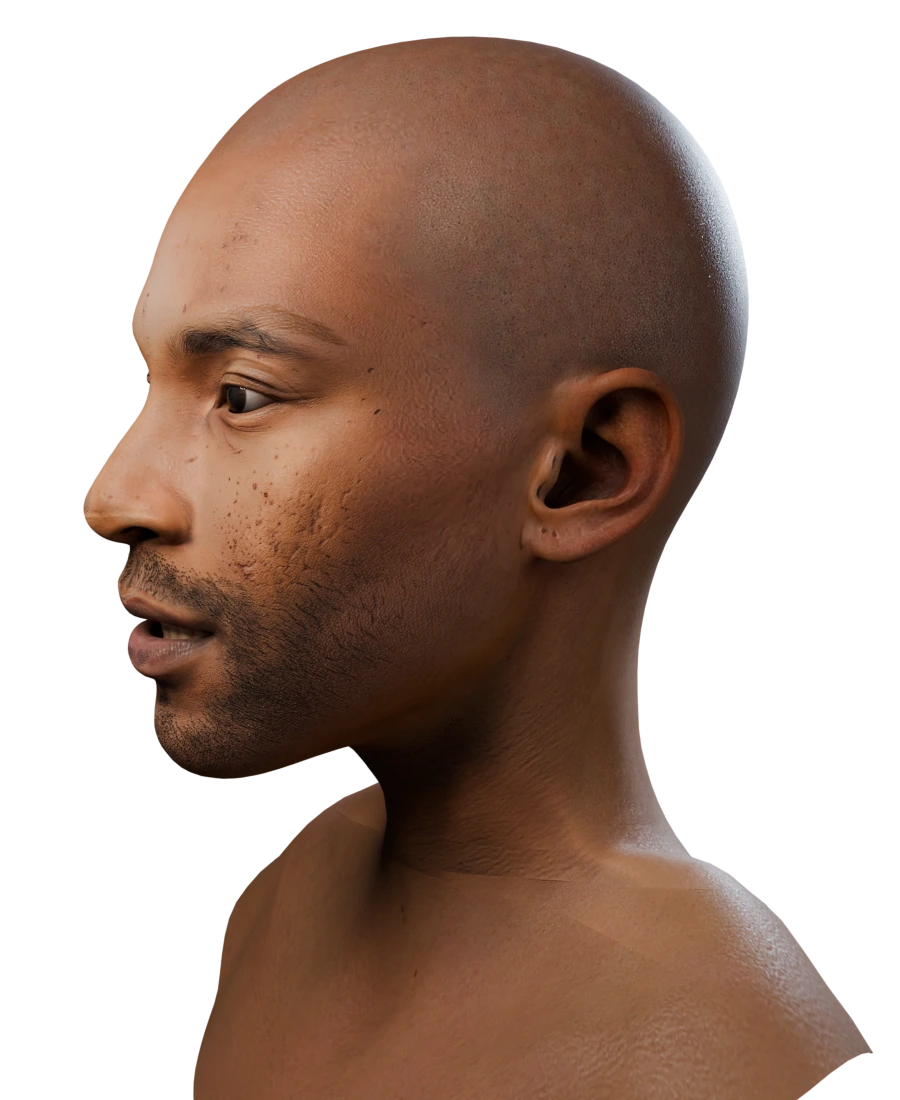
The head has the shape of the person's face, nose, eyes and brows, in MetaHuman topology: the same vertex order and UVs as every other FaceNinja head, plus eyes and teeth. It comes out with a relaxed expression, mouth closed and eyes open, whatever the photo shows, so a big laugh, glasses or odd light are fine. What matters is that the photo shows the person's face clearly.
The person's skin, at 4K.
The skin comes from your photos at 4K: four 4096 × 4096 maps for base colour, normal, cavity and specular/roughness. The photo's lighting is taken out of the colour, and wrinkles and pores become relief in the normal map. Skin the photos do not show, such as under the hair, is completed so the head has no gaps. A beard is reduced to stubble, so the beard groom has a clean surface to sit on.
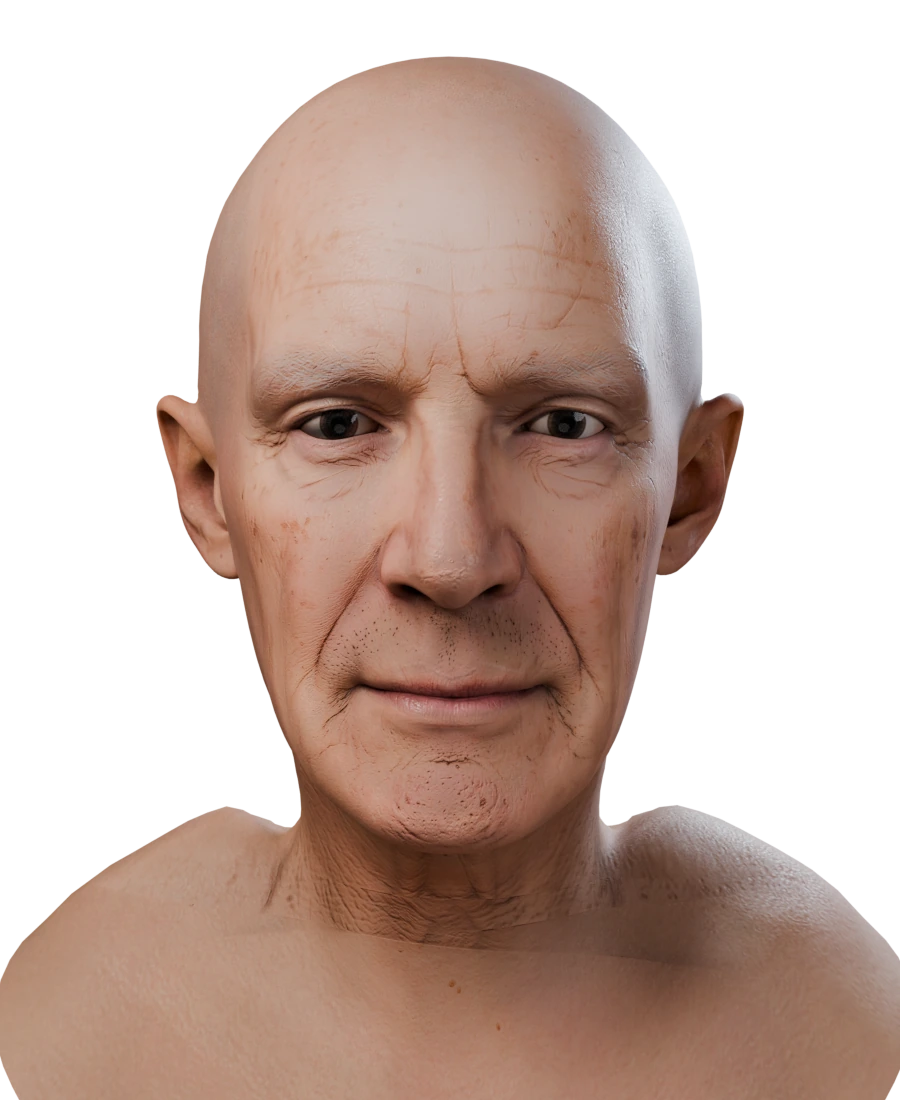
Hair, brows, lashes and beard, matched to MetaHuman grooms.
We read the hair, brows, lashes and facial hair in your photos: length, texture, beard coverage and how much is grey. You get one MetaHuman groom recommendation per slot with its colour values, plus the next-best options.
A neck that fits the person.
The neck matches the person's own width and depth, and the trapezius line sits where theirs does, so a body that joins the head fits without a step at the collar. Where long hair hides the back of the neck, the back follows the person less closely.
Six formats, made with the head.
When the head finishes, its GLB, FBX, OBJ, STL, PLY and MetaHuman ZIP are ready to download, along with a light web preview with expressions and hair. Through the API, your webhook hears head.completed and each file comes as a short-lived signed link. Downloads are included in the price, as many as you need.
Reconstruction from several photos, for a set you shoot yourself.
This mode, in beta, makes the head from 3 to 15 photos of a still subject taken in one session. Along with the head you get each photo's camera position and focal length, so the head lines up with your photos in a 3D tool.
On our synthetic test set, the shape error was 1.24 mm with 3 photos and 0.55 mm with 15. Real capture sets will vary.
When to use it: you can photograph the person yourself, all photos come from one session, and you can keep the light and the expression the same.
What happens to your photos.
- Photos are deleted after 30 days.
- You can delete a head, and its photos, whenever you want.
- Only photos of yourself, or of adults who agreed. No children, and no photos from the internet.
Other ways to get a MetaHuman from photos.
FaceNinja is one route. Depending on your time, budget and hardware, one of these may suit you better.
| Route | What it involves | Good when |
|---|---|---|
| Build it yourself in Unreal | Epic's Mesh to MetaHuman fits MetaHuman topology to a head mesh you already have. Epic also documents creating an identity from video footage. Epic: Mesh to MetaHuman | You have a scan or sculpt, or suitable footage, and time |
| Photos → FaceBuilder → Unreal | KeenTools' FaceBuilder for Blender builds a head from several photos, then you continue in MetaHuman. KeenTools' guide | You work in Blender and want hands-on control |
| Hire an artist | A freelancer builds and finishes the MetaHuman for you. | One hero character with art direction |
| An automated service | Send photos through a web app or an API and download a head. FaceNinja works this way, and also has a skill for AI agents. | Many heads, a pipeline, or a head inside your own product |
Descriptions summarise each vendor's own documentation as of 23 October 2026.
Questions about the process.
- 01Does FaceNinja use AI?
- Yes. Making a head involves AI processing. Nobody retouches the result by hand.
- 02Why don't the ears look like the person's?
- Ear shape is not taken from the photo, so the ears are not the person's own.
- 03Is the hair in the mesh?
- No. MetaHuman hair is a groom. We recommend it, and the preview shows it, but the head mesh is bald by design.
- 04How long does it take?
- About 4 minutes. If many heads are waiting, yours queues; the API reports its place in line.
- 05What if it fails?
- The head's 1,500 credits go back to your balance automatically, and the error tells you why (for example, no usable face).
See it on a face you know.
Create an account, buy credits, and make a head in the browser, from your code or with your agent.