Photo tips · input
Photos that make good heads.
You don't need a studio. One sharp photo of a face works, and a laugh, glasses or odd light are fine. This page shows what comes out of a photo, so you know which ones help and which ones we skip.
- Sharp
- One person
- Real colour
Four hard photos, and what happened to each.
We made these photos difficult on purpose. The people are synthetic; none of them exist.
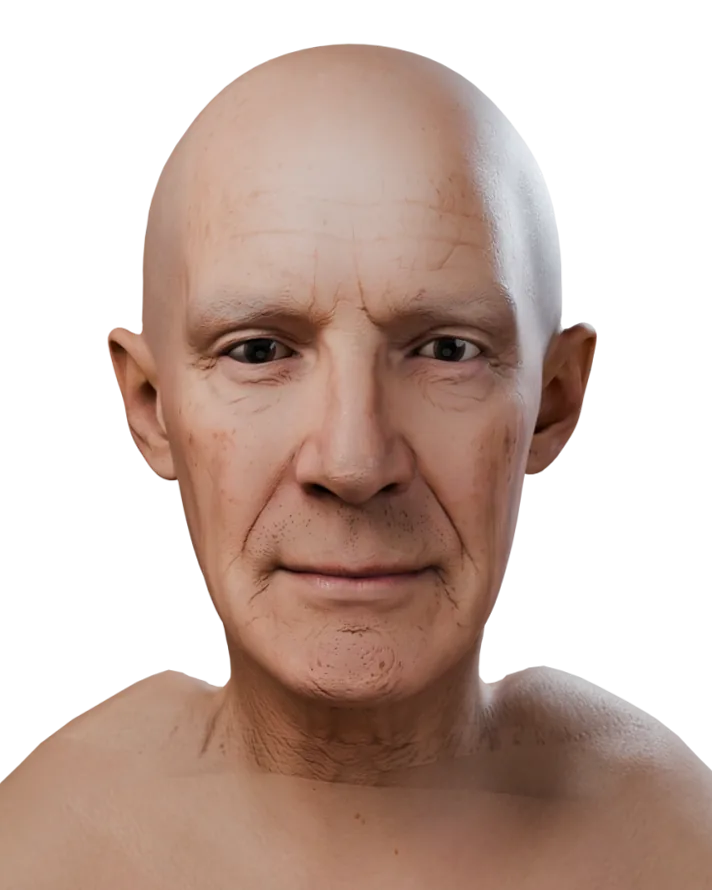
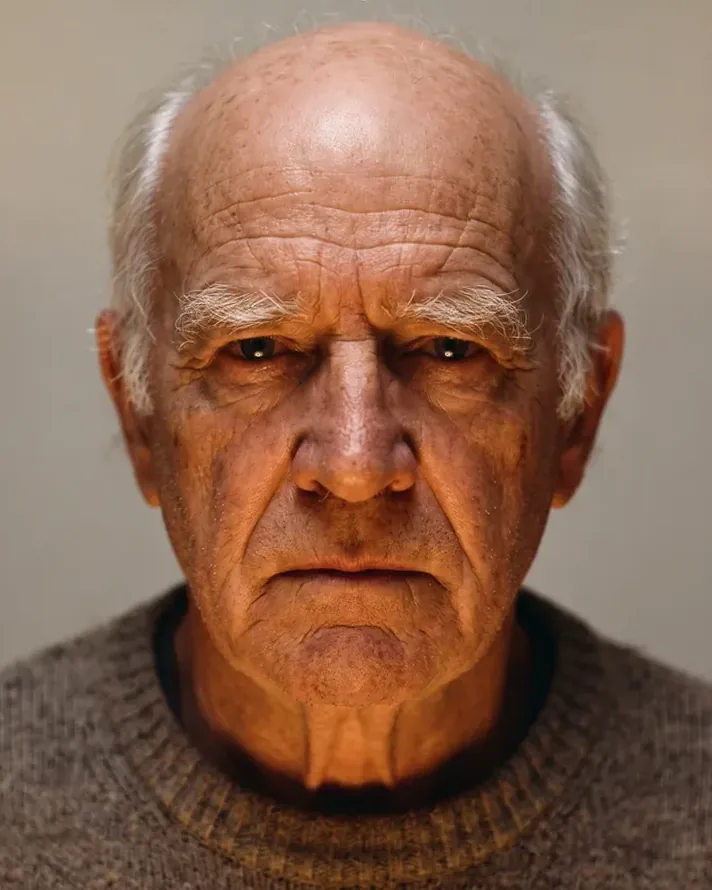
Harsh orange light
The colour cast came out of the skin. The deep lines stayed, as relief.
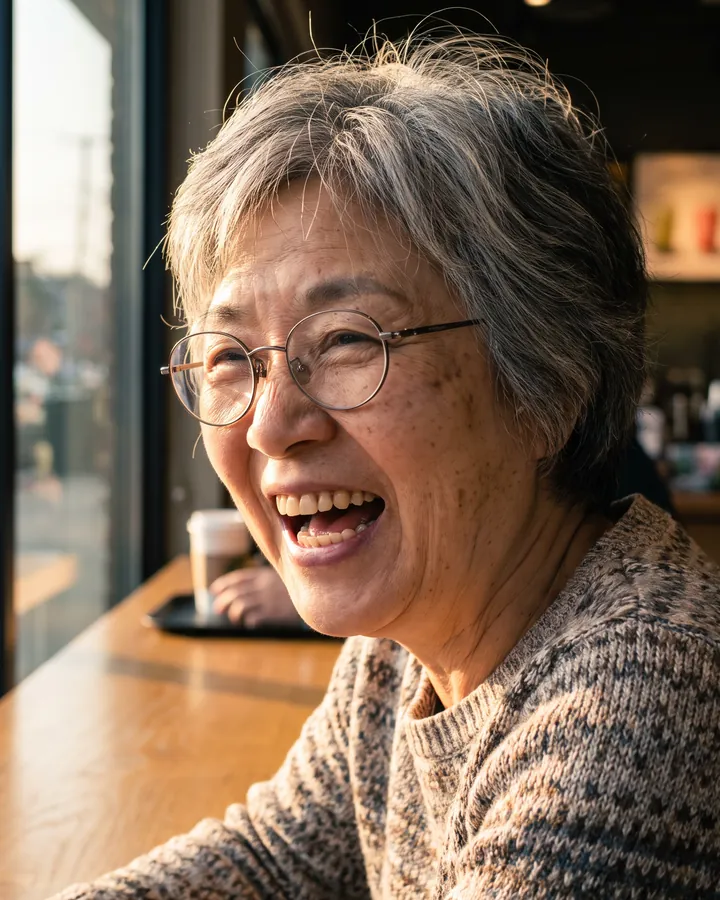
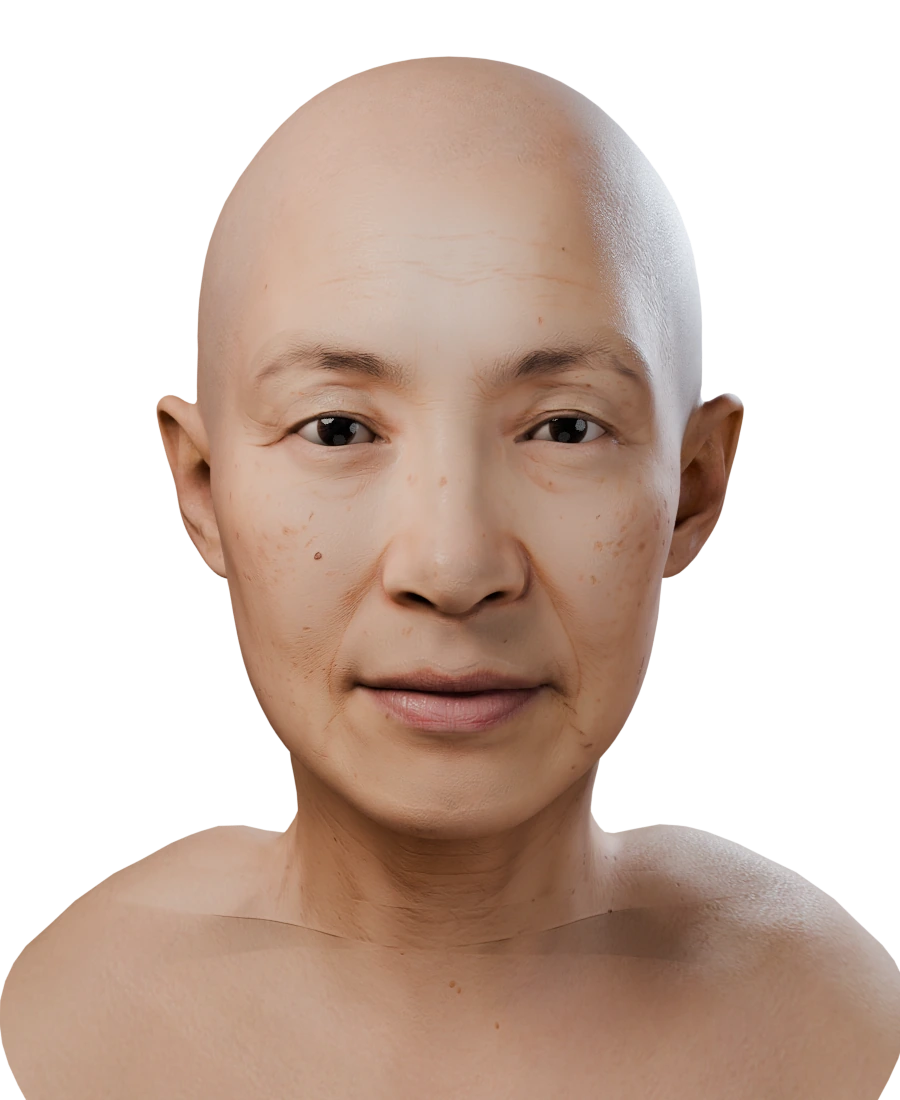
Laughing, glasses on
The head has a relaxed face with the mouth closed, and no glasses. The laugh did not end up in the shape.
Shown side by side, not on a seam: the head in this photo is turned too far to line up with the other image.
Head turned, full beard
The jaw under the beard was recovered. The beard became stubble on the skin plus a beard groom recommendation.
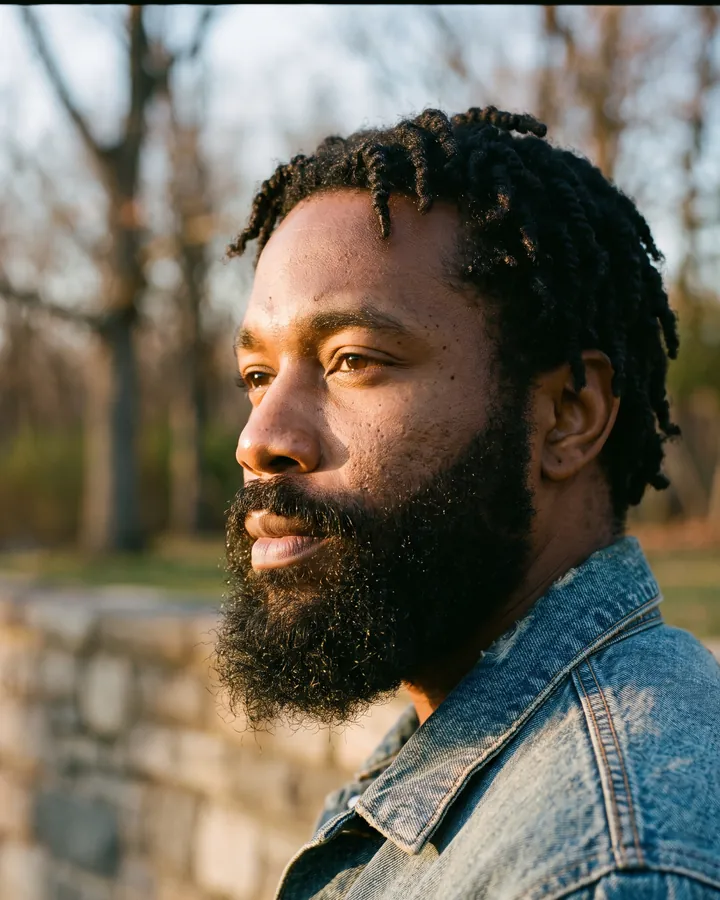
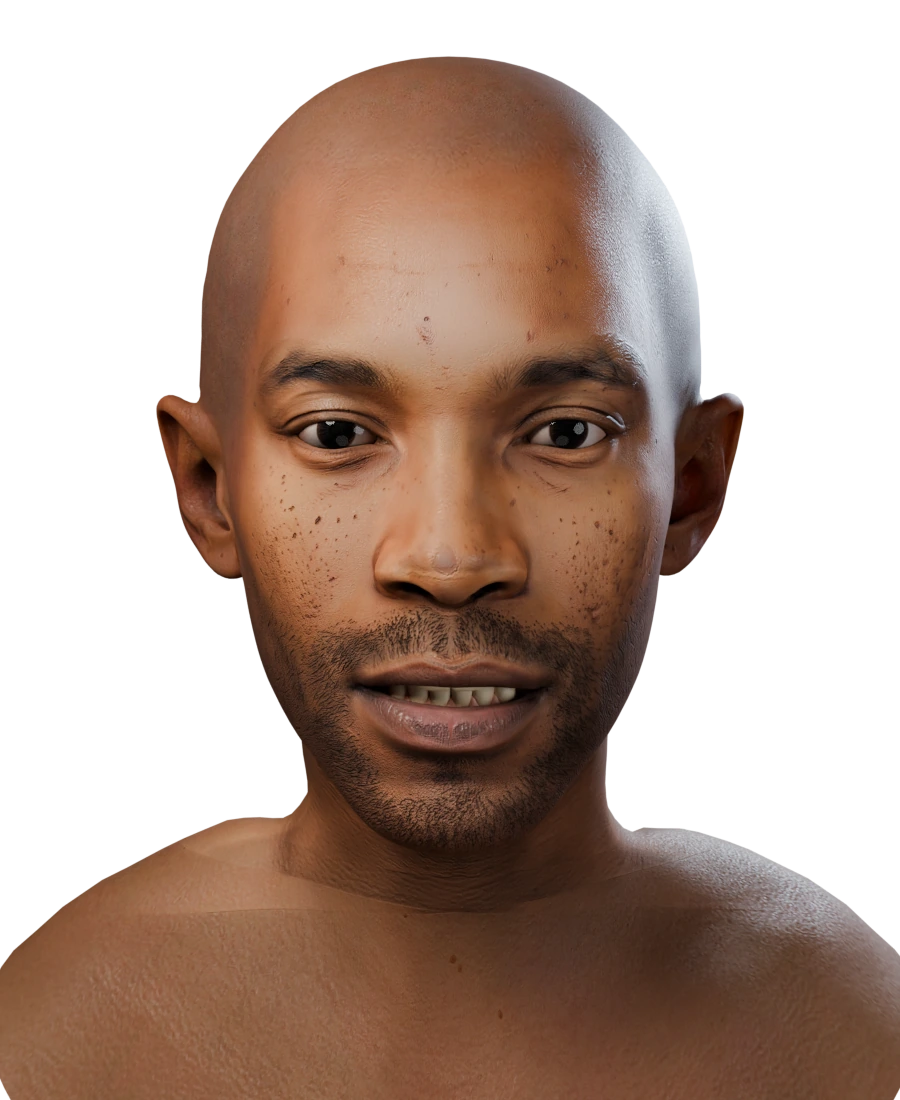
Shown side by side, not on a seam: the head in this photo is turned too far to line up with the other image.
Hair over the ears
The face is hers. Her ears were hidden, which costs nothing: ear shape is never taken from the photo.
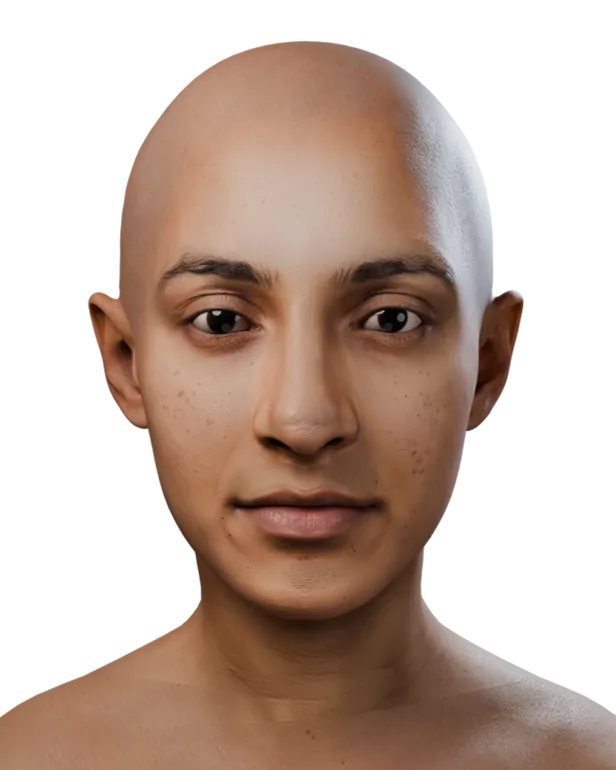
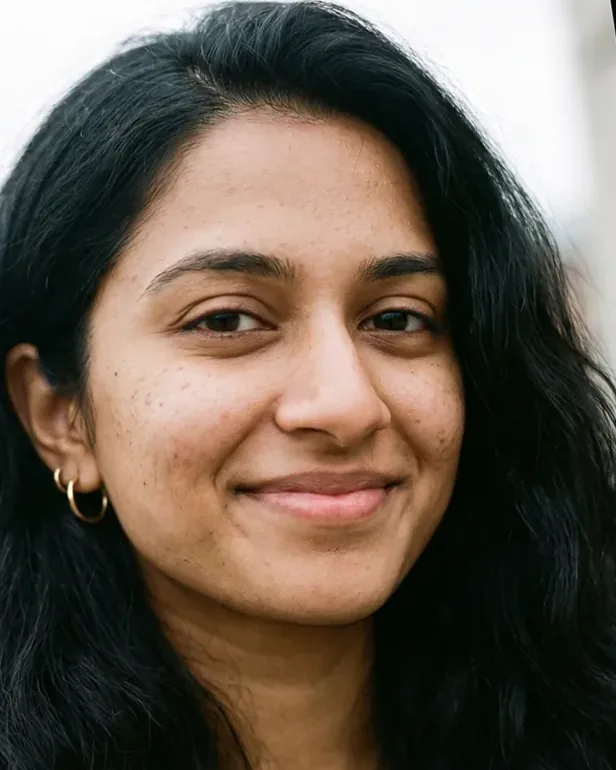
What matters is that the photo shows who the person is: the shape of the face, nose, eyes and brows, and skin with its freckles, moles and lines.
Things you don't need to worry about.
- Expression. A smile or a laugh is fine. The head comes out with a relaxed face, mouth closed.
- Glasses. Clear glasses are fine. Sunglasses are not, because they hide the eyes.
- Light. Colour casts and harsh light are taken out of the skin.
- Background. Anything goes, as long as the face is the biggest one.
- File type. JPEG, PNG, WebP, iPhone HEIC/HEIF or AVIF, up to 25 MiB each.
Up to 15 photos help, if they are all the same person.
Extra photos keep the resemblance right: a profile shows the nose and chin, a three-quarter view the cheekbones. A photo that turns out to show someone else is left out.
- Mix angles: front, both three-quarters, a profile if you have one.
- Relaxed expressions help most.
- Recent photos only. Ten years and a beard ago is a different face.
Show the hairstyle once, and the hairline once.
The head itself is bald; hair, brows and beards come back as MetaHuman groom recommendations.
- For the grooms: include the whole hairstyle in at least one photo, in daylight or neutral indoor light. Colours are read from the pixels, so strongly coloured light shifts them.
- For the face: a photo where the forehead, hairline or jaw is visible lets the head follow the person there too.
Preparing photos for a pipeline.
When nobody looks at each photo before it goes in, a little order up front saves failed heads later.
- One folder per person. 1 to 15 photos in each, never two people in one folder.
- Best photo first. The API treats the first photo as the main one. Sort so a sharp, front-facing photo comes first.
- Originals, not thumbnails. Exports from chat apps and social sites are often too small or too compressed.
- Expect a few to fail. A head with no usable photo fails on its own, returns its credits and reports an
error.codesuch asno_faceornot_same_person. Log it and fix that folder.
A batch script and a cast prompt: Developers · AI agents
When we skip a photo.
Every photo goes through these checks before anything is built. A photo that fails is left out. If no usable photo is left, the head fails, its credits come back by themselves, and the API reports why in error.code.
| We skip a photo when… | So try… |
|---|---|
| no face is found | a photo where the face is clearly visible |
| the face is smaller than about 160 pixels, or the image is under 300 pixels on its short side | the original file, not a thumbnail or a screenshot |
| another face is about as prominent as the main one | a crop with only the person |
| the face is not sharp | a photo without motion or focus blur |
| part of the face is outside the image | a photo with the whole face in frame |
| it is black and white, sepia, washed out or heavily graded | the unfiltered original |
| sunglasses, hands or a mask cover the face | a photo with nothing in front of the face |
| it shows a different person from the rest of the upload | photos of one person only |
Shooting a set for reconstruction from several photos.
Reconstruction from several photos (beta) needs a consistent set. Use 3 to 15 photos from one session.
- Keep the subject still and the expression the same, relaxed and neutral, in every photo.
- Keep the light the same across the set: even and indirect.
- Move around the subject: front, both three-quarters, both profiles.
- Keep the whole head in frame and sharp in every shot.
Only faces that said yes.
Upload photos of yourself, or of adults who agreed to have a 3D head made of them. No photos of children, and no photos of people taken from the internet. Every face on this site is synthetic.
Got a good photo?
A head is 1,500 credits, and a head that fails costs nothing.