FaceNinja

Creator Kit · สำหรับ VTuber · ฟรี

ใบหน้าของคุณ สตรีมของคุณ

เปลี่ยนศีรษะ FaceNinja ของคุณให้เป็น MetaHuman ที่พูดและเคลื่อนไหวไปพร้อมกับคุณ บนเวทีเล็ก ๆ ใน Unreal Engine 5.8 เอเจนต์เขียนโค้ดของคุณสร้างให้จากพรอมต์ 7 ข้อ คุณพิมพ์ มันพูด คุณยิ้ม มันก็ยิ้ม จากนั้นคุณจับภาพผ่าน OBS

เวอร์ชัน 0.3.1 · 6.6 MB · ไลเซนส์ MIT · Windows และ Mac

ขนาดและ SHA-256 สำหรับสคริปต์และเอเจนต์: version.json

ชุดเครื่องมือ
เวอร์ชัน0.3.1
ขนาดไฟล์6.6 MB · zip
ไลเซนส์MIT ใช้ฟรีได้แม้ในช่องที่สร้างรายได้
ต้องมีUnreal Engine 5.8 (ฟรี) ศีรษะ FaceNinja และเอเจนต์เขียนโค้ดที่ใช้ MCP ได้
รันบนWindows 10 หรือ 11, macOS 14 ขึ้นไป

ภาพถ่ายภาพเดียว แล้วได้ศีรษะที่พูดได้

วิดีโอเดโมของ Creator Kit
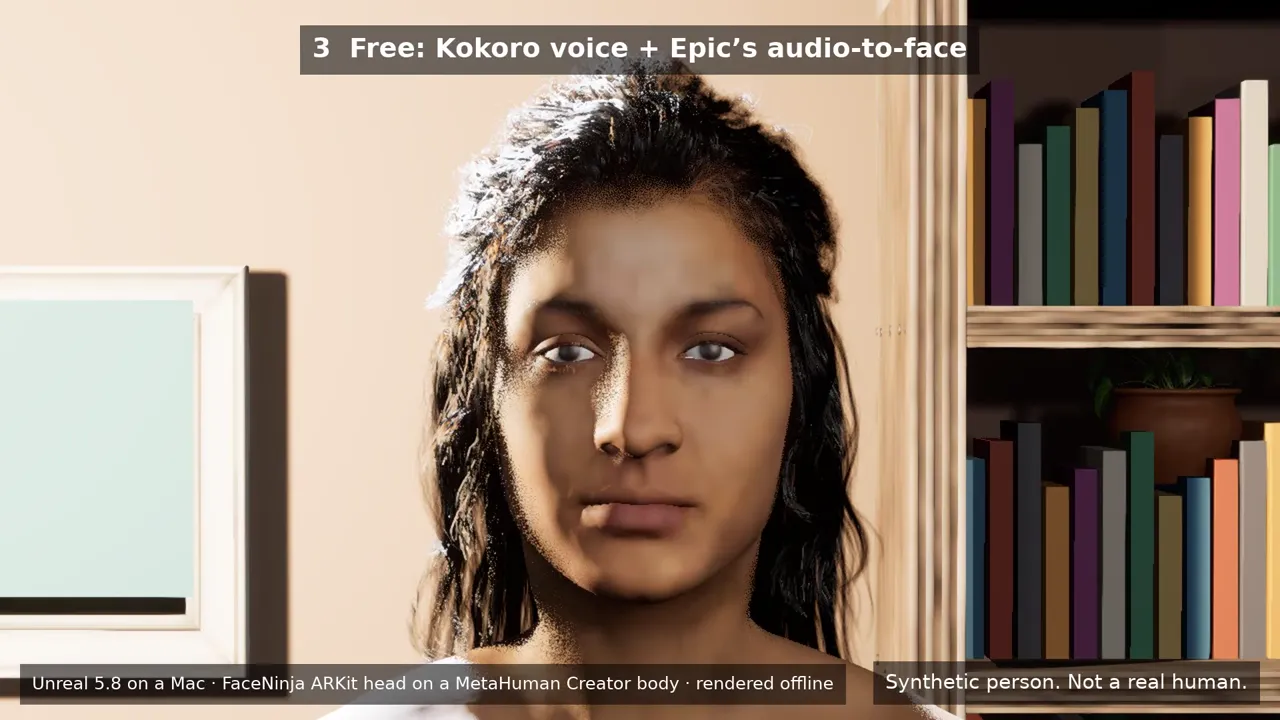
ภาพถ่ายที่ AI สร้าง 1 ภาพ จากนั้นเป็นศีรษะ FaceNinja ที่สร้างจากภาพนั้น แล้วศีรษะนั้นพูดในห้องของชุดเครื่องมือ เรนเดอร์ใน Unreal 5.8 ประโยคแรก: เสียง Kokoro ฟรีกับ lip sync จากเสียงของ Epic ที่ฟรีเช่นกัน ประโยคที่สอง: เสียง ElevenLabs กับปลั๊กอิน Runtime MetaHuman Lip Sync แบบเสียเงิน ศีรษะที่พูดคือศีรษะ ARKit ของ FaceNinja (52 blendshape) บนร่างกายและผมของ MetaHuman Creator เรนเดอร์แบบออฟไลน์

ทุกคนในวิดีโอนี้เป็นบุคคลสังเคราะห์ ใช้ใบหน้าและเสียงของคุณเอง หรือตัวละครต้นฉบับ

ดาวน์โหลดวิดีโอ (MP4, 7.3 MB)

3 ส่วน ใช้เวลาหนึ่งเย็น

  1. ศีรษะของคุณ

    สร้างศีรษะ 3D จากภาพถ่ายของคุณใน FaceNinja แล้วดาวน์โหลด MetaHuman ZIP

  2. เอเจนต์สร้างเวทีให้

    แตกไฟล์ชุดเครื่องมือ เปิดเอเจนต์เขียนโค้ดในโฟลเดอร์นั้น แล้ววางพรอมต์ 7 ข้อทีละข้อ เอเจนต์ควบคุม Unreal ผ่าน MCP server ของ Unreal เองและเครื่องมือของชุด

  3. คุณสตรีม

    iPhone หรือเว็บแคมของคุณขยับใบหน้า พิมพ์หนึ่งบรรทัด แล้วอวตารของคุณจะพูดออกมา OBS จับภาพหน้าต่าง

ไม่ต้องเขียนโค้ด ทุกพรอมต์จบด้วยสิ่งที่ตรวจสอบได้

ดาวน์โหลดเล็ก เชื่อมต่อครบทุกอย่าง

ห้องสตรีม

ห้องเล็ก ๆ แสนอบอุ่น มีโซฟา ชั้นหนังสือ ต้นไม้ และไฟนุ่ม ๆ กล้อง 3 ตัว (ใกล้ ครึ่งตัว และมุมกว้าง) และกรีนสกรีนที่เปิดได้

MetaHuman ของคุณ

เครื่องมือเดียวนำเข้า MetaHuman ZIP ของคุณ ปรับใบหน้าของ MetaHuman Creator ให้ตรงกับใบหน้านั้นพอดี และเลือกผม คิ้ว และขนตาที่ใกล้เคียงที่สุด

การติดตามใบหน้า

ใช้ Live Link Face บน iPhone หรือการติดตามใบหน้าผ่านเว็บแคมของ Epic

พิมพ์เพื่อพูด

แผงเล็ก ๆ และเซิร์ฟเวอร์เสียงบนคอมพิวเตอร์ของคุณ เสียง Kokoro ฟรีเริ่มพูดภายในประมาณ 0.1 s บนการ์ดจอรุ่นใหม่

พร้อมใช้กับ OBS

เล่นในหน้าต่าง 1920×1080 เพื่อใช้ window capture ของ OBS พร้อมกรีนสกรีนเมื่อต้องการพื้นหลังของคุณเอง NDI บน Mac และ Spout บน Windows เป็นตัวเลือกเสริม

รองรับศีรษะ GLB และ FBX ด้วย

ชุดเครื่องมือนำเข้า GLB หรือ FBX ของศีรษะคุณพร้อม blendshape ARKit 52 แบบได้ด้วย ที่ขนาดจริง และพร้อมการตั้งค่า material ที่ Unreal ต้องใช้เพื่อแสดงผล

พร้อมโน้ตสำหรับเอเจนต์ (AGENTS.md) และการตั้งค่า MCP สำหรับ Claude Code, Codex, Cursor, VS Code และ Gemini CLI

สิ่งที่ต้องมี

คอมพิวเตอร์ ซอฟต์แวร์ และบัญชี
รายการแนะนำขั้นต่ำ
คอมพิวเตอร์Windows 11 พร้อม NVIDIA RTX 3070 ขึ้นไป หรือ Mac ที่ใช้ M2 Max ขึ้นไปและหน่วยความจำ 32 GBPC ที่มีการ์ด RTX และ RAM 16 GB หรือ Mac ที่ใช้ M1 ขึ้นไปและหน่วยความจำ 16 GB (เฟรมเรตต่ำลง)
ดิสก์ว่าง 150 GBว่าง 100 GB
ซอฟต์แวร์Unreal Engine 5.8, OBS, สายเสียงเสมือน (VB-CABLE หรือ BlackHole) และเอเจนต์เขียนโค้ด พรอมต์ข้อ 1 จะตรวจและติดตั้งสิ่งเหล่านี้ไปพร้อมกับคุณ
บัญชีFaceNinja และบัญชี Epic Games ฟรีสำหรับ rig ของ MetaHuman Creator
ทางเลือกเสริมiPhone 12 ขึ้นไปพร้อมแอป Live Link Face ฟรีเว็บแคม

ฟรีเป็นค่าเริ่มต้น

ฟรี

  • ชุดเครื่องมือ (ไลเซนส์ MIT)
  • Unreal Engine 5.8, MetaHuman Creator และ Live Link Face
  • lip sync จากเสียงของ Epic
  • OBS, BlackHole และ VB-CABLE (ยินดีรับบริจาค)
  • เสียง Kokoro และ Chatterbox บนคอมพิวเตอร์ของคุณ

เสียเงิน เฉพาะเมื่อคุณเลือก

  • ศีรษะ FaceNinja ของคุณ เป็นเครดิต (ราคา)
  • เสียง ElevenLabs ผ่านบัญชี ElevenLabs ของคุณเอง และ ElevenLabs คิดเงินตามจำนวนตัวอักษร
  • ปลั๊กอิน Runtime MetaHuman Lip Sync บน Fab ประมาณ US$280 ต่อที่นั่งสำหรับครีเอเตอร์ที่มีรายได้ต่ำกว่า US$100,000 ต่อปี และ US$840 สำหรับรายได้สูงกว่านั้น

Unreal ไม่เก็บค่าลิขสิทธิ์ (royalty) จากวิดีโอที่สตรีมหรืออัดไว้ ราคาของผลิตภัณฑ์ของบริษัทอื่นเป็นราคา ณ เดือนตุลาคม 2026 โปรดตรวจสอบจากเว็บไซต์ของผู้ขาย

คัดลอก วาง ตรวจสอบ

วางตามลำดับทีละข้อ แล้วรอจนเอเจนต์ทำเสร็จ แต่ละข้อจบด้วยสิ่งที่คุณควรเห็น

พรอมต์จะเป็นภาษาอังกฤษในทุกภาษา เพราะเอเจนต์ต้องใช้ชื่อเครื่องมือและชื่อไฟล์ตามที่เขียนไว้ คุณคุยกับเอเจนต์เป็นภาษาของคุณได้

01 · ติดตั้งสิ่งที่ต้องมี

เวลา: 20–90 นาที ส่วนใหญ่เป็นการดาวน์โหลด

พรอมต์ · ภาษาอังกฤษ
I am setting up the FaceNinja Creator Kit in this folder. I do not write code, so explain each step in one short
sentence and ask me before anything that needs my password, installs a driver, or changes system settings.

1. Tell me my operating system, CPU, RAM, graphics card and free disk space, and compare them with the
   "What you need" table in GUIDE.md. Warn me if something is below the minimum.
2. Check what is installed and tell me what is missing:
   - Unreal Engine 5.8 (Windows: C:\Program Files\Epic Games\UE_5.8; Mac: /Users/Shared/Epic Games/UE_5.8).
     If it is missing, do not install it yourself: tell me to install Unreal Engine 5.8 from the Epic Games
     Launcher's Library tab (default options), and wait until I say it is done.
   - OBS Studio. Offer to install it (Windows: winget install OBSProject.OBSStudio; Mac: brew install --cask obs).
   - A virtual audio cable. Windows: VB-CABLE from https://vb-audio.com/Cable/ (I run its installer as
     administrator and restart). Mac: brew install --cask blackhole-2ch (it asks for my password).
     Only from these places.
   - uv (https://docs.astral.sh/uv/getting-started/installation/).
3. In tts/, make the voice environment: uv venv -p 3.11, then uv pip install -r requirements-kokoro.txt
   (on a PC with an NVIDIA card add --extra-index-url https://download.pytorch.org/whl/cu128).
4. Run uv run python server.py --list-devices in tts/ and show me the output devices.

End with a checklist: Unreal 5.8, OBS, virtual cable, voice environment, each with a tick or a cross.

สิ่งที่คุณควรเห็น: เครื่องหมายถูก 4 รายการ ได้แก่ Unreal 5.8, OBS, สายเสียง และเสียงพูด

02 · เชื่อมเอเจนต์กับ Unreal

เวลา: 10–20 นาที

พรอมต์ · ภาษาอังกฤษ
Open the kit's Unreal project and connect to Unreal's own MCP server.

1. Open FaceNinjaCreatorKit/FaceNinjaCreatorKit.uproject with Unreal Engine 5.8 (Mac: open -a with
   "/Users/Shared/Epic Games/UE_5.8/Engine/Binaries/Mac/UnrealEditor.app" and the project path; Windows:
   "C:\Program Files\Epic Games\UE_5.8\Engine\Binaries\Win64\UnrealEditor.exe" with the project path).
   Tell me the first start takes several minutes while it compiles shaders.
2. The project starts Unreal's MCP server at http://127.0.0.1:8000/mcp. This folder already has the MCP
   settings for you (.mcp.json, .cursor, .vscode, .gemini, .codex). If you cannot see an "unreal-mcp" server,
   tell me how to reload your MCP settings, or add that URL yourself.
3. Wait until the server answers, then list the toolsets. You should find FaceNinjaKitTools. Describe it and
   tell me in one sentence per tool what you can now do for me.

สิ่งที่คุณควรเห็น: เอเจนต์แสดงรายการเครื่องมือของ FaceNinja

03 · สร้างเวทีของคุณ

เวลา: 2–5 นาที

พรอมต์ · ภาษาอังกฤษ
Using FaceNinjaKitTools in Unreal, build my streaming stage.

1. Call build_stage. It makes a small room with a sofa, a bookshelf, a plant, lights and three cameras.
2. Take a still from each camera with stage_screenshot (closeup, bust, wide) and show them to me.
3. Ask me which camera I want for streaming and call set_camera with it.

สิ่งที่คุณควรเห็น: ภาพนิ่งของห้อง 3 ภาพ

04 · นำศีรษะ FaceNinja เข้ามา

เวลา: 15–30 นาที

พรอมต์ · ภาษาอังกฤษ
Using FaceNinjaKitTools in Unreal, turn my FaceNinja head into a MetaHuman and put it on my stage.
My head ZIP is: <drag the ZIP file here>

1. Call import_head_zip with that path. Tell me which hair, brows and lashes it picked.
2. Tell me that the next step sends my head's shape (not my photos) to Epic's free MetaHuman service, and that
   a browser window may ask me to sign in to my Epic account. Wait for my OK.
3. Call preview_avatar so I can see my head in the room, and show me a stage_screenshot (bust camera).
4. Call rig_head, then download_head_textures. Tell me: "A browser opens Epic's sign-in page. Unreal stops
   answering until you sign in and approve it there; that is normal." Wait until I say I approved it, then
   check head_status every 30 seconds until rigged and high_res_textures are both true.
5. Once rigged: call build_metahuman, then place_avatar.
6. Take a stage_screenshot with the bust camera and show it to me.

สิ่งที่คุณควรเห็น: MetaHuman ของคุณในห้อง

05 · เชื่อมต่อ iPhone หรือเว็บแคม

เวลา: 10 นาที

พรอมต์ · ภาษาอังกฤษ
Using FaceNinjaKitTools in Unreal, connect my iPhone's Live Link Face app to my avatar.

1. Call my_ip_address. Tell me where to type it in the app (Settings > Live Link > Add Target, port 14785).
2. Ask me for the phone's IP address (Live Link Face shows it in its settings), then call connect_iphone.
3. Call connect_face with FN_iPhone, then play_in_window.
4. Ask me to smile, blink and turn my head, and whether the avatar follows. Ask before changing any firewall
   setting.

สิ่งที่คุณควรเห็น: อวตารเคลื่อนไหวตามใบหน้าของคุณ

06 · พิมพ์เพื่อพูด

เวลา: 10 นาที

พรอมต์ · ภาษาอังกฤษ
Start the kit's voice server and connect it to my avatar.

1. Ask me which voice I want:
   a. a free preset voice that runs on my computer (Kokoro, default),
   b. my own voice (Chatterbox): ask me to record 10-20 seconds of myself reading any text in a quiet room as
      tts/my_voice.wav, then set it up with requirements-chatterbox.txt,
   c. a studio voice from ElevenLabs: it needs my own ElevenLabs account, costs money per line and sends my text to ElevenLabs.
      Ask me to put my own ElevenLabs API key in the ELEVENLABS_API_KEY environment variable myself; never write it to a file.
2. In tts/ start the server in the background with my cable as --device ("BlackHole" on a Mac, "CABLE Input" on
   Windows):
   a. uv run python server.py --engine kokoro --preset af_heart --device "<cable>"
   b. uv run python server.py --engine chatterbox-turbo --voice my_voice.wav --device "<cable>"
   c. uv run python server.py --engine elevenlabs --voice Rachel --device "<cable>"
3. In Unreal, using FaceNinjaKitTools: voice_status, then connect_voice (it listens on the cable), then
   connect_face with FN_Voice, then play_in_window, then open_talk_panel.
4. Call say with "Hi everyone, welcome back to the stream!" and ask me if the lips moved with the voice.

สิ่งที่คุณควรเห็น: อวตารพูดประโยคที่คุณพิมพ์ พร้อมปากที่ขยับ

07 · เริ่มไลฟ์ด้วย OBS

เวลา: 10 นาที

พรอมต์ · ภาษาอังกฤษ
Help me show my avatar in OBS Studio.

1. In Unreal, using FaceNinjaKitTools: play_in_window (1920x1080). If I want my own background instead of the
   room, call set_green_screen with true first.
2. In OBS add a "Window Capture" (Windows) or "macOS Screen Capture" set to that Unreal window. Tell me the
   clicks; you cannot click in OBS for me.
3. Only with the green screen: add a "Chroma Key" filter (key colour green) and show me where "Similarity" is.
4. Add an "Audio Input Capture" of "CABLE Output" (Windows) or "BlackHole 2ch" (Mac), and set its
   "Audio Monitoring" to "Monitor and Output" so I hear the voice too.

สิ่งที่คุณควรเห็น: อวตารของคุณใน OBS พร้อมเสียง

ทุกขั้นตอน พร้อมวิธีรับมือเมื่อมีบางอย่างใช้ไม่ได้ อยู่ใน GUIDE.md ในไฟล์ zip

เสียง 3 แบบ

เสียงสำหรับพิมพ์เพื่อพูด
เสียงรันบนเสียงแรกค่าใช้จ่ายหมายเหตุ
Kokoro (ค่าเริ่มต้น)คอมพิวเตอร์ของคุณประมาณ 0.08 s บน RTX 5080, 0.09 s บน Mac M5 Maxฟรี (Apache-2.0)เสียงที่ตั้งไว้ล่วงหน้า 54 เสียง ใน 8 ภาษา
เสียงของคุณเอง (Chatterbox)คอมพิวเตอร์ของคุณประมาณ 0.7–1.1 s บน RTX 5080 หรือ Mac M5 Maxฟรี (MIT)จากเสียงที่คุณบันทึกเอง 10–20 วินาที ทุกคลิปมีลายน้ำที่ได้ยินไม่ได้ซึ่งระบุว่าเป็นเสียงสังเคราะห์
เสียงบนคลาวด์ (ElevenLabs)คลาวด์ขึ้นอยู่กับการเชื่อมต่อของคุณ เราไม่ได้วัดElevenLabs คิดเงินตามจำนวนตัวอักษร ตามแผนของคุณข้อความที่คุณพิมพ์จะถูกส่งไปยัง ElevenLabs คุณต้องใช้บัญชีและคีย์ API ของ ElevenLabs เอง

เสียงแรก: เวลาตั้งแต่ส่งประโยคจนถึงเสียงแรก วัดผ่านเซิร์ฟเวอร์เสียงของชุดเครื่องมือในเดือนตุลาคม 2026

คำถามเกี่ยวกับชุดเครื่องมือ

01ต้องเขียนโค้ดไหม
ไม่ต้อง คุณวางพรอมต์ เอเจนต์จะรันเครื่องมือและแสดงภาพผลลัพธ์ให้คุณดู
02ใช้บน Mac ได้ไหม
ได้ บน Mac ที่ใช้ M1 ขึ้นไปและ Unreal 5.8 เครื่องมือใบหน้าแบบเรียลไทม์ของ Epic ทำงานบน Mac ได้ตั้งแต่ Unreal 5.8
03อะไรบ้างที่ออกจากคอมพิวเตอร์ของคุณ
รูปทรงของศีรษะคุณจะถูกส่งไปยัง Epic เมื่อ MetaHuman Creator สร้าง rig หากเลือกเสียงบนคลาวด์ ข้อความที่คุณพิมพ์จะถูกส่งไปยัง ElevenLabs ไม่มีอย่างอื่นอีก ไม่มีภาพถ่าย ไม่มีเสียงที่บันทึกไว้
04ขายวิดีโอที่ทำด้วยชุดนี้ได้ไหม
ได้ ชุดเครื่องมือเป็น MIT, Unreal ไม่เก็บค่าลิขสิทธิ์จากวิดีโอ และ Kokoro กับ Chatterbox อนุญาตให้ใช้เชิงพาณิชย์ ส่วนของ ElevenLabs และ Fab โปรดตรวจเงื่อนไขของแต่ละราย
05รวมปลั๊กอิน lip sync แบบเสียเงินมาด้วยไหม
ไม่รวม ขายแบบต่อที่นั่งบน Fab เส้นทางฟรีใช้ lip sync จากเสียงของ Epic เอง
06แชร์อวตารเป็นแอปได้ไหม
ไม่ได้หากใช้ lip sync ฟรี แหล่งเสียงของ Epic ทำงานใน editor (Play) ซึ่งเป็นวิธีที่สตรีม VTuber ทำงาน แอปที่แพ็กเกจแล้วต้องใช้ปลั๊กอินแบบเสียเงิน
07มีแต่ GLB หรือ FBX ใช้ได้ไหม
ได้ สำหรับภาพนิ่งและแอนิเมชัน ไฟล์ใช้หน่วยเมตร ศีรษะจึงเข้ามาที่ขนาดจริง และชุดเครื่องมือจะเปิด Used with Morph Targets บน material เพื่อให้ blendshape ไม่เรนเดอร์เป็นสีดำ การติดตามใบหน้าและเสียงแบบสดควบคุม MetaHuman ดังนั้นให้ใช้ MetaHuman ZIP สำหรับสตรีม อ่านเพิ่มใน บันทึกเรื่อง Unreal EN

ไลเซนส์

ชุดเครื่องมือเป็น MIT (LICENSE ในไฟล์ zip) งานศิลป์ของห้องเป็น CC0 จาก Poly Haven ส่วนอื่นทั้งหมด (Unreal, MetaHuman, OBS, สายเสียง, เสียงพูด, ปลั๊กอินทางเลือก) คุณติดตั้งเองภายใต้ไลเซนส์ของแต่ละตัว THIRD_PARTY.md ในไฟล์ zip ระบุแต่ละรายการพร้อมลิงก์

พร้อมหรือยัง สร้างศีรษะ 3D ของคุณ แล้วดาวน์โหลดชุดเครื่องมือ